
Get started in under 10 minutes
Free video tutorials and step-by-step setup guides for WooCommerce. Install, configure, and start selling Tradeprint products today.
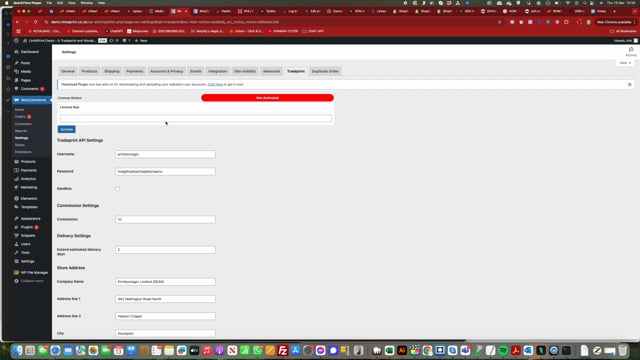
Activating the Plugin
How to install and activate the Linkaprint plugin on your WooCommerce store.
Tutorials
Step-by-step videos on key features and workflows.
Product Setup
Products
New Features Guide
Features
Step-by-Step Setup Guide
Everything you need to get WooCommerce connected to Tradeprint
Request an API Key from Tradeprint
This is not your regular Tradeprint login
First, you need to request a free API key from Tradeprint. This is separate from your regular Tradeprint account login and gives your store direct access to their wholesale pricing and product data.
Fill out the contact form on the Tradeprint Connect page. API keys typically take 24–48 hours to be issued.
Request API from TradeprintPurchase Linkaprint and install the plugin
Once purchased, you'll receive a welcome email containing your License Key and access to the plugin download.
Install like any other WordPress plugin: go to Plugins → Add New → Upload Plugin, select the .zip file, and click Install. Then activate the plugin.
Purchase PluginConfigure your API settings
Navigate to WooCommerce → Settings → Tradeprint Tab
- Enter your API details and store address, then click Save.
- Enter your Activation Code (license key from your welcome email) and click the Activate button — not the Save button.
Add your first product
Products → Add New in your WordPress admin
- Create a new product and enter any price (this won't be visible to customers — Tradeprint's live pricing replaces it).
- Check the Tradeprint box on the product page.
- Navigate to the new Tradeprint Tab on the left and enter the exact product title from the list provided (click the ℹ️ button to see available titles).
- Click "Get Available Attributes".
- Click Update on the product page before entering any further data.
Watch the setup videos
Super important — there are rules to follow!
It's essential to watch the videos above because there are specific rules that must be followed when working with the plugin and the Tradeprint API. Don't worry — it's easy once you've edited your first product.
Get help & join the community
We have a dedicated help area where you can open a support ticket. For quicker answers to common questions, get in touch any time.
Frequently Asked Questions
Need help getting started?
Every plan includes a free onboarding call. We'll set up your first products with you live and answer any questions.